

Restless legs or neuropathy apps
Restless legs or neuropathy apps
- There are a few apps for people living with restless legs or neuropathy.
- They can help you track how these conditions affect your daily activities, which can be a useful way to help you understand what makes your condition worse and what helps.
- Some apps may offer tips, tools and techniques to help you manage your condition.
- Note: It's important to use apps under the guidance of your healthcare provider.

Neuropathy is when nerve damage leads to pain, weakness, numbness or tingling in one or more parts of your body. With restless legs syndrome (RLS) you have a strong urge to move your legs, or sometimes arms or other body parts, because of uncomfortable and unpleasant feelings in them. Because neuropathy affects peripheral nerves, it may create abnormal sensations or irritation that mimic or contribute to the sensations experienced in RLS and can sometimes trigger or worsen RLS symptoms.
There are a few apps to support people living with these conditions. They can help you track how these conditions affect your daily activities, which can be a useful way to help you understand what makes your condition worse and what helps. Some pain apps may offer tips, tools and techniques to help you manage your condition. It's important that these apps are used under the guidance of your healthcare provider.
Tips when using restless legs and neuropathy apps
Do (✔)
- Talk with your healthcare provider about your needs. Everyone’s body is different, and what might be a suitable for one person could be too much for another.
- If the app suggests exercises, check with your healthcare provider before trying them. Sometimes exercises need to be adapted to suit your individual situation.
- Use an app for logging triggers and tracking your progress to stay motivated, but remember not to push yourself too hard.
- Use an app to monitor your symptoms and your management plan. Graphs and reports from apps can be useful to discuss with your healthcare provider.
- Be careful when reading discussion boards or group chats within the app. Some apps have these so users can share their experiences. These aren't usually monitored by a health professional so the advice or suggestions may not be safe or effective.
Don’t ( ✘)
- Rely on apps to make a diagnosis.
- Make changes to your medicines or treatments without checking with your healthcare provider.
- Ignore pain, continuing with exercise while you have sharp or worsening pain can led to further injury. It's important to tell the difference between normal discomfort with exercise and pain from doing too much.
Before choosing an app, think about how it will benefit you and what you want it to be able to do.<.p>
- An app will only be helpful if you use it, so it needs to be something you like using and find easy to use.
- If you find the app difficult to use, or you don't like the imagery or look of it, or the language it uses, you may want to find another one that suits you better.
- Check how your data is collected, stored and used in the app, including whether it’s shared with or sold to third parties.
- For more guidance on how to choose health apps, see how to choose a health app.
- It's important to remember that apps don’t replace professional help or your doctor’s advice.
| App | Features | Clinical review |
|
|

|
|
|
|
|


Other apps you may find helpful
- Pain management apps: Apps that can support you to manage your pain. Some apps provide education while some have a pain diary for you to keep track of your symptoms. Read more about pain management apps.
- Sleep apps: Some help you track your sleep habits, similar to a sleep diary, and help you develop good sleep routines, while others try to assist you to fall asleep by using calming visual graphics and relaxing music. Read more about sleep apps.
- Breathing, meditation and mindfulness apps: These apps teach you about breathing, meditation and mindfulness techniques. This can help reduce tension, stress and anxiety. Read more about breathing, meditation and mindfulness apps.
|
Disclaimer: The NZ Health App Library is a free consumer service to help you decide whether a health app would be suitable for you. Our review process is independent. We have no relationship with the app developers or companies and no responsibility for the service they provide. This means that if you have an issue with one of the apps we have reviewed, you will need to contact the app developer or company directly. |
Factsheets – using health apps safely
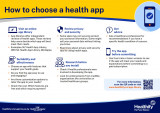
How to choose a health app
Healthify He Puna Waiora, NZ
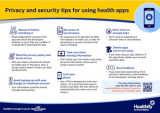
Privacy and security tips for using health apps
Healthify He Puna Waiora, NZ
Credits: Healthify editorial team. Healthify is brought to you by Health Navigator Charitable Trust.