

 Wishing everyone a safe and happy Christmas and New Year – Meri Kirihimete from the Healthify team.
Multiple sclerosis apps
Multiple sclerosis apps
- Multiple sclerosis apps can help you improve self-management of your condition by helping you learn more about your condition, and keep track of your symptoms, triggers and medicines.
- Find out more about multiple sclerosis apps reviewed by Healthify.

Multiple sclerosis (MS) is a condition that affects the nerves of your brain and spinal cord. Symptoms vary depending on which areas of your brain and spinal cord are affected, so it’s difficult to know how MS will progress for each person. There's no cure for MS, but treatment aims to prevent relapses, ease symptoms and minimise disability. Learn more about multiple sclerosis.
Multiple sclerosis apps have the potential to help you manage your condition better. They can help you keep track of your symptoms and triggers, and monitor or set reminders for your medicines. However, it's important not to rely on the app for a diagnosis. Here are some tips on how to use multiple sclerosis apps safely.
How to use multiple sclerosis apps safely
Do (✔)
- Always use MS apps under the supervision of a healthcare provider so they can guide you on whether the app is suitable for your needs.
- Use an app to keep track of your symptoms as part of your management plan. Use graphs and reporting for a discussion with your healthcare provider.
- Be careful when reading information on discussion boards or group chat rooms. Some apps have interactive features where users can share their experiences. Be cautious because in most cases these aren't monitored by a health professional so the advice or suggestions may not be safe or effective.
- Know when to seek help if your symptoms change or worsen.
Don’t (✘)
- Don't rely on apps to diagnose your condition.
- Don't use treatments without first seeking advice from your healthcare provider.
- Don't make changes to your medicines based on recommendations from the app.
Before choosing an app, think about how it will benefit you and what you want it to be able to do.
- An app will only be helpful if you use it, so it needs to be something you like using and find easy to use.
- If you find the app difficult to use, or you don't like the imagery or look of it, or the language it uses, you may want to find another one that suits you better.
- Check how your data is collected, stored and used in the app, including whether it’s shared with or sold to third parties.
- For more guidance on how to choose health apps, see how to choose a health app.
- It's important to remember that apps don’t replace professional help or your healthcare provider’s advice.
| App | Features | Clinical review |
|
BelongMS improve life with MS app
|
|

|
|
Bezzy MS: Multiple Sclerosis app
|
|

|
|
|
|
|
|
|
|
|

|
Disclaimer: The NZ Health App Library is a free consumer service to help you decide whether a health app would be suitable for you. Our review process is independent. We have no relationship with the app developers or companies and no responsibility for the service they provide. This means that if you have an issue with one of the apps we have reviewed, you will need to contact the app developer or company directly. |
Factsheets – using health apps safely
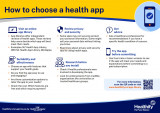
How to choose a health app
Healthify He Puna Waiora, NZ
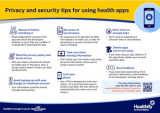
Privacy and security tips for using health apps
Healthify He Puna Waiora, NZ
Credits: Healthify editorial team. Healthify is brought to you by Health Navigator Charitable Trust.